The Severed Gods Controls & Input
Bind Break, Defend, and sever actions confidently on keyboard or controller.
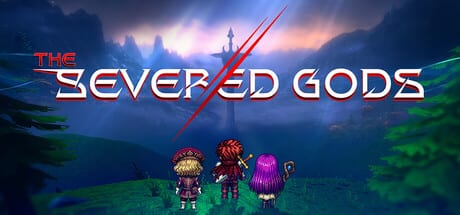
The Severed Gods on Steam PC supports keyboard and mouse plus gamepad input for its turn-based combat UI. Precise limb targeting and fast Defend assignment separate smooth runs from sluggish ones — especially in High zones where boss sever windows close quickly. This hub centralizes default bindings, rebinding tips, and UI navigation patterns for Early Access builds.
Why controls matter
Turn-based does not mean low precision. Each turn you select skills, assign Defend to specific limbs, and choose Break targets on enemy body parts. Slow input costs mental bandwidth and sometimes mis-clicks sever attempts. Topebox designed large telegraph icons, but controller players still benefit from memorized shoulder-button shortcuts documented in Gamepad UI Tips.
Combat fundamentals live in Combat: Break & Defend; this hub covers how to execute those decisions physically.
Platform scope
Early Access (App ID 3755930) and the demo (App ID 4396000) share the same PC control scheme. Cloud saves may sync keybind profiles via Steam. No mobile or console ports are documented at launch — revisit Updates Hub if platforms expand.
Keyboard and mouse
PC players typically use mouse for limb selection and keyboard for skill hotkeys. The dedicated Keyboard & Mouse page lists default bindings, rebinding paths in Settings, and recommended layouts for Swordsman defensive play vs Thief aggressive hotkey chains.
Highlights:
- Left-click selects enemy limbs and confirm actions
- Number keys trigger equipped skills
- Space or Enter confirms turn end
- Tab cycles intent panels and relic tooltips
- Hold modifiers for precise Defend assignment on multi-limb telegraphs
Gamepad
Controller layouts map skills to face buttons and bumpers, with D-pad shortcuts for camp menus. Analog stick cursor speed is adjustable — critical for sever targeting on large boss models. Read Gamepad UI Tips for deadzone recommendations and Steam Input profiles shared on Discord.
UI layers outside combat
Controls extend to:
- Map navigation — node selection, path preview
- Camp drafting — relic and skill comparison panes
- Realm of Spirits — meta upgrade tree scrolling
- Hero select — sigil slot management from Hero Sigils
Rebinding combat keys does not always remap menu confirm — verify both tabs in Settings after changes.
Accessibility options
Early Access includes text size scaling, color-blind telegraph modes, and hold-vs-toggle Defend options. Enable hold-to-Defend if repetitive strain appears during long sessions. Report missing accessibility gaps to Topebox via Steam discussions linked from Links Hub.
Recommended setup by experience
| Player type | Recommended input | Next read |
|---|---|---|
| New to roguelites | Keyboard + mouse | Getting Started |
| Souls-like controller veteran | Gamepad | Gamepad UI Tips |
| Min-max builder | Mouse-heavy rebinding | Relics & Builds |
Patch notes and binding changes
Major updates may add hotkeys for new systems — Karma events, sigil screens, or multi-phase boss UI. Track Early Access Launch and Roadmap & EA Plan for binding changelog entries.
External help
Official channels: @The_SeveredGods for announcements, Discord for community config sharing. This wiki stays binding-accurate to default Early Access builds unless patches note otherwise.
Frequently Asked Questions
Quick answers to the most common questions.
Can I play The Severed Gods entirely with a controller?
Yes. All combat, camp, and meta menus support gamepad navigation with the layouts described in Gamepad UI Tips.
Are controls different in the demo?
No. Demo and Early Access share the same default bindings on PC.
Can I rebind individual skills?
Yes through Settings > Controls. Skill hotkeys, Defend, and end-turn confirmations are separately rebindable.
Is Steam Input supported?
Yes. Steam Input profiles work for most controllers; community templates circulate on Discord.
What control should I learn first?
Learn limb targeting and Defend assignment before optimizing skill hotkeys — those prevent most early deaths.